
Join Captain Cooks Now With Just a Few Clicks
Secure Registration and Login with Captain Cooks
Registration and login at Captain Cooks Casino are your first steps toward a safe and enjoyable gaming experience. When you create an account, you’ll be asked to share personal details and choose login credentials, so it’s important to know exactly what to expect. A smooth registration process helps you get set up quickly, while strong security measures protect your data, deposits, and winnings from unauthorized access.
In this guide, we’ll walk you through how to sign up, verify your identity, and perform Captain Cooks Casino login on both desktop and mobile. You’ll also learn how to reset a forgotten password, recognize fake Captain Cooks Casino Sign In pages, and manage each session safely so you can play on our site with confidence.
Step-By-Step: How to Register Your Captain Cooks Account
Signing up at Captain Cooks Casino is very easy, as the whole process consists of only 8 short steps. Here is everything you will need to do:
- Visit our official website and click the “Play Now” button at the top of the page.
- Enter your first name, last name and email, then click “Next”.
- Provide your date of birth and gender, then once again click “Next”.
- Create a strong password that meets our security requirements.
- Enter your address details by filling out the provided fields.
- Provide your phone number, industry you work in, and your occupation.
- Confirm that you want to receive the welcome offer, are of legal age to gamble, and accept our terms and conditions by ticking dedicated boxes.
- Finish the process by clicking “Receive the bonus”.
Once you are done with the Captain Cooks Sign Up, you can make a deposit and start exploring the games and our bonuses we have prepared for you.
Verifying Your Identity: Documents and Timing
Before you can withdraw winnings from your account at Captain Cooks Casino, you’ll need to complete a verification process. This is a standard requirement designed to protect your account and comply with regulatory standards on anti-money laundering and fair play. Here is what you will need to prepare:
- A photo of a government-issued ID such as a passport, driver’s license or national ID card.
- A proof of address document such as a utility bill, bank statement or similar, dated within the last three months.
Once the photos are ready, submit them to our customer support and wait for a response, which will be provided within 24 hours. By verifying your account in advance and ensuring all provided information is easy to see and up-to-date, you’ll help make the verification smoother and avoid delays when you want to cash out.

How to Log In for the First Time on Desktop
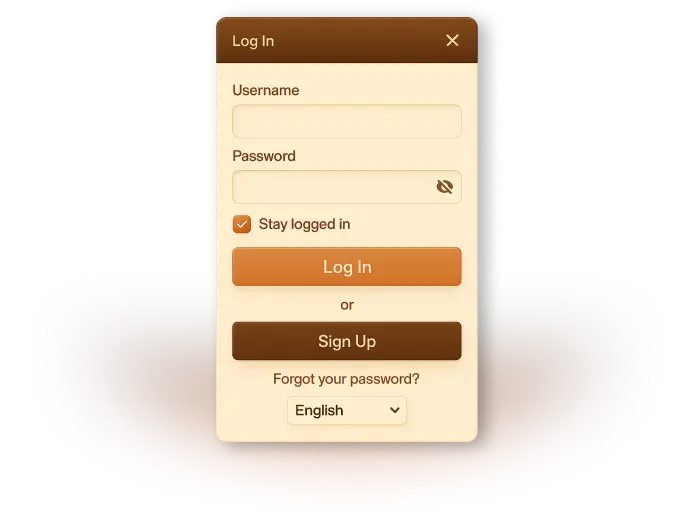
We’ve made the Casino Captain Cooks login process as simple and quick as possible, so our players don’t need to waste time when they want to play. Here is how the Captain Cooks Sign In process works:
- Open a web browser on your computer (Chrome, Safari, Firefox, etc.).
- Go to the official Captain Cooks Casino website.
- Click the “Log in” button on the homepage.
- Enter your registered username and password, then click “Log in”.
Forgotten passwords
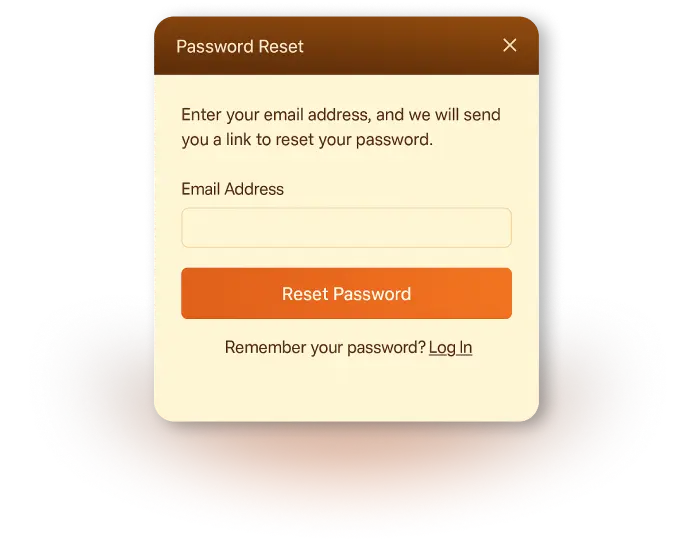
If you can’t log into your casino account, don’t worry and simply follow the guide below:
- Visit our main page and click “Log in.”
- Select the “Can’t access your account?” link.
- You will be redirected to a live chat with one of our customer support agents, who will be ready to assist you.
- Describe the issue and follow their guidance to quickly resolve it and regain access to your account.
Mobile Access: Using the Website or PWA for Login
When playing on Captain Cooks Casino, you don’t need a native app. Instead, you can access everything via a mobile-optimized website or Progressive Web App (PWA), so Captain Cooks Casino login in Canada is quick and feels app-like.
Here’s how you can complete the Captain Cook Casino login process on mobile:
- Open the browser on your smartphone or tablet (e.g., Safari on iOS, Chrome on Android).
- Visit our website, which is fully mobile-optimized and works without downloading an Captain Cooks Casino app.
- Tap the “Log in” option at the top.
- Enter your username and password, then tap “Log in”.
- For faster access next time, use your browser menu and click “Add to Home Screen” to create a PWA that opens our site in an app-like format.

Recognizing and Avoiding Phishing or Fake Login Pages
Keeping your Captain Cooks Casino account safe starts with making sure you always log in through our official website. Phishing pages can look similar to ours, but they’re designed to steal your username, password, or payment information. To protect yourself, always check the URL before entering your details – our Captain Cook login page is secured with HTTPS and displays a lock icon in your browser’s address bar.
Be cautious of emails or messages that ask you to “verify your account,” “confirm your password,” or “update your details” through a link. We never request sensitive information this way. If you receive an unexpected email, type our official web address into your browser manually instead of clicking any links.
Avoid logging in through unfamiliar ads, social media posts, or third-party websites claiming to offer bonuses or shortcuts. These often lead to fake pages.
If you’re ever unsure, contact our support team directly. We’re always here to verify whether a message or link truly comes from us and to help you keep your account secure.

Best Practices for Session Management and Safe Logout
It’s important to manage each session with care if you want to maximize the security of your account. Always make sure you’re logging in from a trusted device and a secure internet connection. Public Wi-Fi networks can put your account at risk, so we recommend avoiding them whenever possible. If you must use a shared or public device, never allow the browser to save your login details.
After you complete Captain Cooks Casino Canada login, be mindful of your actions. If you leave your device, lock its screen to prevent unauthorized access. We also recommend maintaining only one active session at a time, as logging in on multiple devices can sometimes result in security checks or temporary bans.
When you’re finished playing, always use the “Log out” button rather than simply closing the browser tab or app window. This ensures your session ends securely and reduces the chance of someone else accessing your account. Clearing your browser history and cache occasionally can add an extra layer of protection.
Following these simple practices helps ensure your gaming sessions remain safe, private and fully under your control.

Common Login and Registration Problems and Ways To Fix Them
Even with a secure and simplified login system, players may occasionally experience access issues. Most of these problems are easy to resolve, especially if you know what to check first. Below is a list of the most common issues with registration and login on the Captain Cooks Casino mobile and desktop platform, along with recommendations on how to resolve them quickly:
- Incorrect Username or Password:
Double-check spelling, capitalization and extra spaces. Make sure your keyboard language hasn’t switched.
Forgotten Login - Details:
If you’re trying a fresh title, begin with small bets to learn the rules and features before increasing your wageUse the “Can’t access your account?” option to reset your password or recover your username via our live chat.r size. - Multiple Failed Login Attempts:
Your account may be temporarily locked. Wait a short time or contact support to unlock it. - Browser Cache or Cookies Issues:
Clear your browser cache, update your browser or switch to a different one. - Outdated App or Browser:
Ensure your mobile browser or PWA shortcut is up-to-date for smooth login. - Using Public or Unsecured Wi-Fi:
Some networks block gambling websites. Switch to a secure, private connection. - Suspected Security Hold:
If we detect suspicious activity, we may temporarily freeze access. Contact support to resolve the issue.
Incomplete or Incorrect Details During - Registration:
Fill in all required fields carefully and use accurate personal info. - Email Address Already Registered:
If you’ve registered before, recover that account or ask support for help if it is your first time on our site.

Conclusion
Navigating our platform is so much easier when you understand how things work. By following the instructions we have prepared for you, you can create an account within minutes and log in from any device. We have also cAt Captain Cooks Casino, we’re committed to giving you a smooth, secure and transparent experience from the moment you decide to register to every login that follows. Our platform operates under strict licensing standards, advanced security technology, and a clear verification process to ensure your personal information and account remain protected at all times.
overed how to reset your password, how to resolve common issues, and what rules apply to player profiles in New Zealand. Now you can easily access all of our games!
Creating an account with us is quick and straightforward, and our Captain Cooks Casino mobile login system is designed with player safety as a top priority. Whether you prefer a desktop, a mobile browser or PWA access, you can count on a seamless, encrypted connection every time. And if you ever run into problems, like forgetting your password or getting locked out of your account, our support team can help you safely regain access.
By following the best practices outlined in this guide, including careful session management and awareness of phishing risks, you can enjoy worry-free access to your account and focus on what truly matters: playing your favourite games in a secure and trusted environment.
FAQ
Where do I find the official Captain Cooks login page?
You can access the official Captain Cooks Casino login page directly through our main website. Always check that the URL begins with https:// and displays a secure padlock icon to ensure you’re on the legitimate platform.
How do I reset my Captain Cooks password?
Click “Log in” on our homepage, then select “Can’t access your account?”. You will be redirected to our live chat with an agent who is ready to help you. Describe your issue and follow the instructions to create a new password and regain access.
Why can’t I log in to my account?
Common reasons include incorrect login details, temporary account locks due to multiple failed attempts, or issues on our side. Regional restrictions or outdated browser settings may also prevent access. To get help with logging in, contact our support team.
Can I stay logged in on my mobile device?
Yes. You can remain logged in if you choose, but only on personal, secure devices. For shared or public devices, always log out after your session for safety.
Is Captain Cooks login safe for Canadian players?
Captain Cooks Casino uses encryption, secure authentication and strict account protection measures. We also have licences from both the Kahnawake Gaming Commission and the Alcohol and Gaming Commission of Ontario, which serve as proof of our integrity.
